

This Wi-Fi Scanner is a great tool for anyone looking to find and analyze available wireless connections in the area. It provides detailed descriptions of configuration, network name, signal level and quality, MAC address, channel, maximum data rate, encryption type, and other details so you can make an informed decision about whether or not to connect to a particular network. Highly recommended for anyone who wants to stay secure and connected.
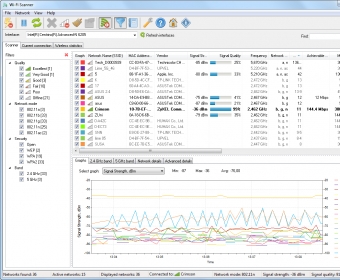
Wi-Fi Scanner can provide information about available wireless connections. The application has a very nice and straightforward interface, in which a series of tabs allows accessing information about all available networks, current connection only and wireless statistics. Fortunately, this data is available not only as a chart but also in graphical form. Although the tool is extremely easy to use, you can benefit from consulting its online documentation.
In regards to available connections, the first tab shows such information as network name, signal strength, MAC address, channel, maximum data rate, security mode and type of encryption. Moreover, there are several filters according to signal quality, network mode, security type and band. The second tab, in turn, provides detailed information about the current connection along with real-time graphs of signal strength and quality. Finally, there’s a third tab that displays wireless statistics, with the possibility of visualizing activity of both MAC and PHY layers. more






Comments